
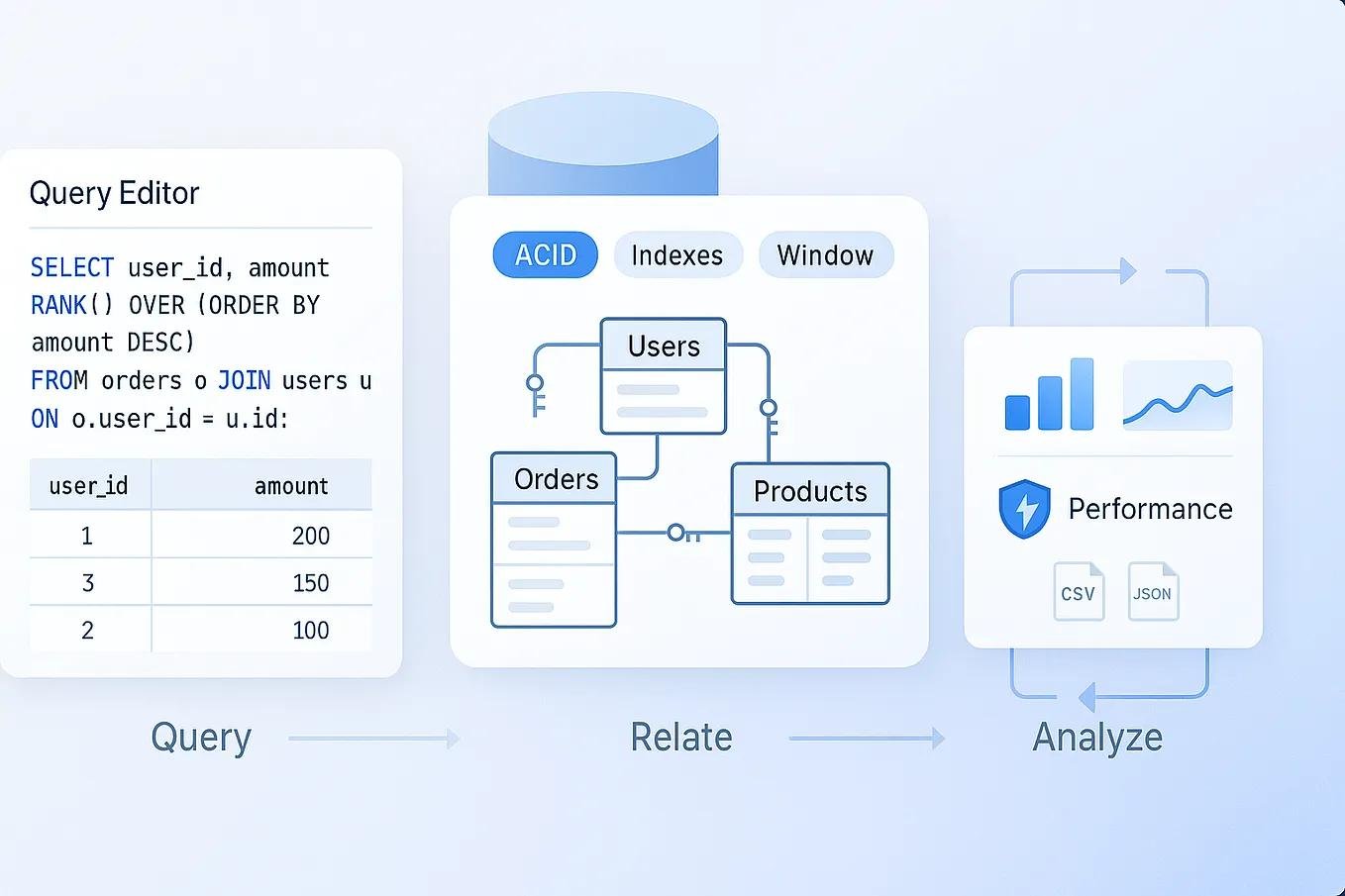
Imagine that you are working for an e-commerce company. Your manager asks you three questions:
- Which products generated the highest revenue last month?
- Who are the company’s most valuable customers?
- Which city has the highest number of completed orders?
You have thousands of customer records, product details and order transactions stored in a database. Opening individual records and checking them one by one would take hours.
This is where SQL becomes useful.
SQL allows you to retrieve, filter, combine and analyse information stored in databases. With a few queries, you can turn thousands of records into meaningful information that helps a business make better decisions.
If you are a student, beginner or someone planning to become a data analyst, learning SQL is a practical place to start.
In this guide, we will cover SQL fundamentals, the most important queries, database tools, practical examples, projects and a step-by-step learning roadmap. We will also build a small e-commerce database and use it to answer real-world business questions.
Table of Contents
- What Is SQL?
- Why Is SQL Important for Data Analysis?
- How Does SQL Work?
- SQL vs MySQL: What’s the Difference?
- Which SQL Tool Should Beginners Use?
- What Should You Learn in SQL?
- Practical SQL Examples for Data Analysis
- A Hands-On SQL Practice Database
- Important SQL Concepts for Data Analysts
- A 6-Week SQL Learning Roadmap
- Practical SQL Projects for Beginners
- Common Mistakes Beginners Should Avoid
- How to Practise SQL Effectively
- Career Opportunities After Learning SQL
- Frequently Asked Questions
1. What Is SQL?
SQL stands for Structured Query Language. It is a programming language used to communicate with relational database management systems.
In simple terms, SQL helps you ask questions about data stored in a database.
For example, imagine a company maintains a database containing information about its customers, products, employees and sales transactions.
You might want to find:
- All customers from Jaipur.
- Products costing more than ₹1,000.
- Total sales generated during a particular month.
- The number of orders placed by each customer.
- Employees working in the IT department.
Instead of manually searching through records, you can write SQL queries to retrieve the information you need.
Here is a simple example:
SELECT *
FROM customers;
This query retrieves all columns and records from a table named customers.
You can also retrieve specific information:
SELECT customer_name, city
FROM customers;
This query returns only the customer names and their cities.
SQL is widely used in data analysis, business intelligence, software development, reporting and database management.
What Is a Database?
A database is an organised collection of information that can be stored, managed and accessed electronically.
For example, an online shopping website might maintain separate tables for:
| Table | Information stored |
|---|---|
| Customers | Customer names, emails and addresses |
| Products | Product names, prices and categories |
| Orders | Order dates, customers and order status |
| Payments | Payment methods and transaction details |
| Employees | Employee names, departments and salaries |
These tables can be connected using common columns, such as customer IDs and product IDs.
SQL helps you retrieve information from these related tables.
2. Why Is SQL Important for Data Analysis?
Companies collect data from websites, mobile applications, payment systems, customer interactions and business operations.
However, collecting data is only the first step. The real value comes from understanding what that data tells us.
Consider an online shopping company with 100,000 customer records.
The management team wants to know which product category generates the most revenue.
A data analyst can use SQL to:
- Retrieve order information.
- Connect orders with product details.
- Calculate the total revenue.
- Group results by product category.
- Identify the highest-performing category.
This process turns raw information into something a business can actually use.
Some common applications of SQL in data analysis
Sales analysis
- Calculate monthly revenue.
- Identify top-selling products.
- Compare sales between different regions.
- Find products with declining sales.
Customer analysis
- Identify repeat customers.
- Calculate average customer spending.
- Find inactive customers.
- Analyse customer purchasing behaviour.
Financial analysis
- Calculate total expenses.
- Compare monthly income.
- Identify unusual transactions.
- Prepare financial reports.
Website analysis
- Count registered users.
- Analyse user activity.
- Track conversion-related records.
- Compare registration trends.
SQL is particularly useful when data is stored across multiple related tables and you need to retrieve only the information relevant to a particular question.
3. How Does SQL Work?
To understand SQL, you should first understand three basic components:
Database: The complete collection of organised information.
Table: A structure that stores related records in rows and columns.
Query: An instruction written in SQL to retrieve or modify information.
Consider the following customer table:
| customer_id | customer_name | city | age |
|---|---|---|---|
| 1 | Rahul | Jaipur | 22 |
| 2 | Priya | Delhi | 24 |
| 3 | Amit | Mumbai | 21 |
| 4 | Neha | Jaipur | 25 |
| 5 | Karan | Pune | 23 |
Each row represents a customer, while each column represents a particular attribute.
Suppose you want to find customers who live in Jaipur.
You can write:
SELECT *
FROM customers
WHERE city = 'Jaipur';
The database processes the query and returns the matching records.
The important thing to understand is that SQL is declarative. You describe the information you want, rather than manually specifying every step the database must take to retrieve it.
4. SQL vs MySQL: What’s the Difference?
Beginners often confuse SQL and MySQL. Although the names are similar, they are not the same thing.
| SQL | MySQL |
|---|---|
| A database query language | A relational database management system |
| Used to communicate with databases | Used to store and manage databases |
| Defines how queries are written | Executes SQL queries |
| Works with several database systems | Implements SQL with MySQL-specific features |
Other popular relational database systems include:
- PostgreSQL
- Microsoft SQL Server
- Oracle Database
- SQLite
- MariaDB
The SQL fundamentals are transferable between these systems, but some functions and syntax differ.
Our recommendation: Beginners can start with MySQL because it provides a practical environment for learning relational databases and writing SQL queries. We will use MySQL syntax throughout this article.
5. Which SQL Tool Should Beginners Use?
You need a database environment to write and execute SQL queries.
Here are some tools worth exploring.
1. MySQL
MySQL is a popular relational database management system used in websites, applications and business systems.
It is a good starting point for practising SQL fundamentals.
Official website: https://www.mysql.com/
2. MySQL Workbench
MySQL Workbench provides a graphical interface for working with MySQL databases.
You can use it to:
- Create databases and tables.
- Write and execute SQL queries.
- View query results.
- Manage database connections.
- Explore database structures.
Download: https://dev.mysql.com/downloads/workbench/
3. PostgreSQL
PostgreSQL is an open-source relational database system with extensive SQL functionality.
It is also a good option for learning database concepts and practising data analysis queries.
Official website: https://www.postgresql.org/
4. SQLite
SQLite is a lightweight database engine that stores an entire database in a file.
It is useful for beginners who want to practise SQL without setting up a separate database server.
Official website: https://sqlite.org/
Which one should you choose?
You do not need to install every database system.
Start with MySQL and MySQL Workbench, then explore PostgreSQL or SQLite when you become comfortable with the fundamentals.
6. What Should You Learn in SQL?
You do not need to learn every SQL command at once.
A better approach is to understand the concepts in a logical order.
Here are the most important topics for someone interested in data analysis.
| Topic | What you will learn |
|---|---|
| SELECT | Retrieve information from tables |
| WHERE | Filter records |
| ORDER BY | Sort query results |
| DISTINCT | Find unique values |
| LIMIT | Restrict the number of results |
| AND, OR, NOT | Combine conditions |
| LIKE | Search for matching text patterns |
| IN, BETWEEN | Filter using multiple values or ranges |
| COUNT, SUM, AVG | Calculate useful metrics |
| GROUP BY | Group records |
| HAVING | Filter grouped results |
| JOIN | Combine multiple tables |
| CASE | Create conditional results |
| Subqueries | Use queries inside other queries |
| CTEs | Organise complex queries |
| Window Functions | Perform calculations across related rows |
Let’s understand some of these concepts through practical examples.
7. Practical SQL Examples for Data Analysis
The easiest way to learn SQL is to write queries and understand their output.
For the following examples, imagine that you are analysing an online shopping database.
Example 1: Retrieve All Records Using SELECT
The SELECT statement retrieves information from a database table.
SELECT *
FROM customers;
The asterisk (*) means that you want to retrieve all columns.
To retrieve only selected columns:
SELECT customer_name, city
FROM customers;
When is this useful?
When you need to inspect customer information without retrieving unnecessary columns.
Example 2: Filter Records Using WHERE
The WHERE clause helps you retrieve records that satisfy a particular condition.
SELECT *
FROM customers
WHERE city = 'Jaipur';
This query returns customers whose city is Jaipur.
You can also use comparison operators:
SELECT *
FROM products
WHERE price > 1000;
This retrieves products priced above 1,000.
Example 3: Sort Data Using ORDER BY
Suppose you want to identify the most expensive products.
SELECT product_name, price
FROM products
ORDER BY price DESC;
Here:
- ASC sorts records in ascending order.
- DESC sorts records in descending order.
You can combine sorting with LIMIT:
SELECT product_name, price
FROM products
ORDER BY price DESC
LIMIT 5;
This returns the five most expensive products.
Example 4: Calculate Total Revenue Using SUM
Aggregate functions help you calculate useful metrics from multiple records.
For example:
SELECT SUM(amount) AS total_revenue
FROM orders
WHERE status = 'Completed';
This calculates the total amount from completed orders, assuming the orders table contains an amount column.
Other useful aggregate functions include:
| Function | Purpose |
|---|---|
| COUNT() | Counts records or non-NULL values |
| SUM() | Calculates a total |
| AVG() | Calculates an average |
| MIN() | Finds the smallest value |
| MAX() | Finds the largest value |
Example 5: Group Records Using GROUP BY
Imagine that you want to know how many orders were placed by each customer.
SELECT customer_id, COUNT(*) AS total_orders
FROM orders
GROUP BY customer_id;
This groups orders by customer ID and counts the orders in each group.
GROUP BY is particularly useful for creating reports and summaries.
Example 6: Filter Grouped Results Using HAVING
Suppose you want to identify customers who have placed more than two orders.
SELECT customer_id, COUNT(*) AS total_orders
FROM orders
GROUP BY customer_id
HAVING COUNT(*) > 2;
The difference between WHERE and HAVING is important:
- WHERE filters individual rows before grouping.
- HAVING filters groups after aggregation.
Example 7: Combine Tables Using JOIN
Real-world databases rarely store all information in a single table.
For example, the orders table might contain customer IDs rather than customer names.
You can use JOIN to combine related information.
SELECT
    customers.customer_name,
    orders.order_id,
    orders.order_date
FROM customers
INNER JOIN orders
    ON customers.customer_id = orders.customer_id;
This query combines customer information with order information.
Important SQL JOIN types include:
- INNER JOIN
- LEFT JOIN
- RIGHT JOIN
Learning JOINs is one of the most important steps in becoming comfortable with real-world SQL analysis.
Example 8: Create Categories Using CASE
Suppose you want to classify products according to their prices.
SELECT
    product_name,
    price,
    CASE
        WHEN price >= 10000 THEN 'Expensive'
        WHEN price >= 2000 THEN 'Medium'
        ELSE 'Affordable'
    END AS price_category
FROM products;
This creates a new calculated column called price_category.
CASE is useful for customer segmentation, financial reporting and business classification.
Example 9: Use a Subquery
A subquery is a query written inside another SQL query.
Suppose you want to find products priced above the average product price.
SELECT product_name, price
FROM products
WHERE price > (
    SELECT AVG(price)
    FROM products
);
The inner query calculates the average price. The outer query retrieves products that cost more than that average.
Example 10: Use Window Functions
Window functions are useful when you want to perform calculations across related rows without combining those rows into a single result.
For example, you can rank orders for each customer.
SELECT
    customer_id,
    order_id,
    order_date,
    ROW_NUMBER() OVER (
        PARTITION BY customer_id
        ORDER BY order_date
    ) AS order_number
FROM orders;
This assigns an order number to each customer’s orders based on their order date.
Other useful window functions include:
- ROW_NUMBER()
- RANK()
- DENSE_RANK()
- LAG()
- LEAD()
These concepts are particularly useful for advanced reporting and analytical tasks.
8. A Hands-On SQL Practice Database
Reading SQL examples is helpful, but writing your own queries is where real learning begins.
Let’s create a small e-commerce database that you can use for practice.
Step 1: Create a Database
CREATE DATABASE sql_analysis_lab;

USE sql_analysis_lab;
Step 2: Create the Customers Table
CREATE TABLE customers (
    customer_id INT PRIMARY KEY,
    customer_name VARCHAR(100) NOT NULL,
    city VARCHAR(60),
    signup_date DATE
);
Step 3: Create the Products Table
CREATE TABLE products (
    product_id INT PRIMARY KEY,
    product_name VARCHAR(100) NOT NULL,
    category VARCHAR(60),
    price DECIMAL(10, 2)
);
Step 4: Create the Orders Table
CREATE TABLE orders (
    order_id INT PRIMARY KEY,
    customer_id INT,
    order_date DATE,
    status VARCHAR(30),
    FOREIGN KEY (customer_id)
        REFERENCES customers(customer_id)
);
Step 5: Create the Order Items Table
CREATE TABLE order_items (
    item_id INT PRIMARY KEY,
    order_id INT,
    product_id INT,
    quantity INT,
    unit_price DECIMAL(10, 2),
    FOREIGN KEY (order_id)
        REFERENCES orders(order_id),
    FOREIGN KEY (product_id)
        REFERENCES products(product_id)
);
We have created four related tables.
The order_items table connects products with individual orders. It also stores the quantity and actual selling price for each order item.
Step 6: Insert Sample Customer Records
INSERT INTO customers VALUES
(1, 'Asha Sharma', 'Pune', '2025-01-10'),
(2, 'Ravi Kumar', 'Jaipur', '2025-02-15'),
(3, 'Meera Iyer', 'Chennai', '2025-03-20'),
(4, 'Arjun Das', 'Kolkata', '2025-04-02'),
(5, 'Neha Singh', 'Jaipur', '2025-04-18');
Step 7: Insert Sample Products
INSERT INTO products VALUES
(101, 'Keyboard', 'Accessories', 1200.00),
(102, 'Mouse', 'Accessories', 650.00),
(103, 'Monitor', 'Electronics', 12000.00),
(104, 'USB Hub', 'Accessories', 900.00),
(105, 'Laptop', 'Electronics', 55000.00);
Step 8: Insert Sample Orders
INSERT INTO orders VALUES
(1001, 1, '2025-05-02', 'Completed'),
(1002, 2, '2025-05-03', 'Completed'),
(1003, 1, '2025-05-12', 'Pending'),
(1004, 3, '2025-05-18', 'Completed'),
(1005, 4, '2025-06-01', 'Cancelled'),
(1006, 5, '2025-06-03', 'Completed'),
(1007, 2, '2025-06-07', 'Completed');
Step 9: Insert Order Items
INSERT INTO order_items VALUES
(1, 1001, 101, 1, 1200.00),
(2, 1001, 102, 2, 650.00),
(3, 1002, 103, 1, 12000.00),
(4, 1003, 104, 1, 900.00),
(5, 1004, 102, 1, 650.00),
(6, 1004, 104, 2, 900.00),
(7, 1005, 105, 1, 55000.00),
(8, 1006, 101, 2, 1200.00),
(9, 1007, 103, 1, 12000.00),
(10, 1007, 102, 1, 650.00);
Congratulations! You now have a small e-commerce database to practise SQL.
Step 10: Analyse the Database
Let’s answer some business questions using our new database.
Question 1: Which customers have placed completed orders?
SELECT DISTINCT
    c.customer_name,
    c.city
FROM customers c
INNER JOIN orders o
    ON c.customer_id = o.customer_id
WHERE o.status = 'Completed';
Question 2: What is the total revenue generated by each product?
SELECT
    p.product_name,
    SUM(oi.quantity * oi.unit_price) AS revenue
FROM products p
INNER JOIN order_items oi
    ON p.product_id = oi.product_id
INNER JOIN orders o
    ON oi.order_id = o.order_id
WHERE o.status = 'Completed'
GROUP BY p.product_id, p.product_name
ORDER BY revenue DESC;
Notice that we calculate revenue using quantity multiplied by unit price. We also exclude pending and cancelled orders.
Question 3: Which customers have spent the most money?
SELECT
    c.customer_name,
    SUM(oi.quantity * oi.unit_price) AS total_spent
FROM customers c
INNER JOIN orders o
    ON c.customer_id = o.customer_id
INNER JOIN order_items oi
    ON o.order_id = oi.order_id
WHERE o.status = 'Completed'
GROUP BY c.customer_id, c.customer_name
ORDER BY total_spent DESC;
Question 4: How many completed orders were placed in each city?
SELECT
    c.city,
    COUNT(DISTINCT o.order_id) AS total_orders
FROM customers c
INNER JOIN orders o
    ON c.customer_id = o.customer_id
WHERE o.status = 'Completed'
GROUP BY c.city
ORDER BY total_orders DESC;
Notice the use of COUNT(DISTINCT o.order_id). Since one order can contain several products, joining the order_items table could otherwise count the same order multiple times.
This is an important detail in data analysis: a query can execute successfully and still produce an incorrect business result if you do not understand the relationships between tables.
9. Important SQL Concepts for Data Analysts
After learning the basic queries, spend some time understanding concepts that help you work with real-world datasets.
Data Cleaning
Real-world datasets are not always perfect.
You may encounter:
- Missing values.
- Duplicate records.
- Incorrect spellings.
- Invalid dates.
- Unexpected values.
- Inconsistent formatting.
SQL can help identify and correct many of these problems.
For example, to find records with missing city information:
SELECT *
FROM customers
WHERE city IS NULL;
To display a default value when the city is missing:
SELECT
    customer_name,
    COALESCE(city, 'Unknown') AS city
FROM customers;
Date Functions
Date analysis is common in business reporting.
For example, you may need to calculate monthly revenue or compare orders between two periods.
In MySQL:
SELECT
    DATE_FORMAT(order_date, '%Y-%m') AS order_month,
    COUNT(*) AS total_orders
FROM orders
GROUP BY DATE_FORMAT(order_date, '%Y-%m')
ORDER BY order_month;
Common Table Expressions (CTEs)
CTEs allow you to divide a complex query into smaller, more readable sections.
For example:
WITH customer_spending AS (
    SELECT
        c.customer_id,
        c.customer_name,
        SUM(oi.quantity * oi.unit_price) AS total_spent
    FROM customers c
    INNER JOIN orders o
        ON c.customer_id = o.customer_id
    INNER JOIN order_items oi
        ON o.order_id = oi.order_id
    WHERE o.status = 'Completed'
    GROUP BY c.customer_id, c.customer_name
)
SELECT *
FROM customer_spending
WHERE total_spent > 5000
ORDER BY total_spent DESC;
This query first calculates customer spending and then retrieves customers whose spending exceeds 5,000.
Basic Query Performance
As databases grow, poorly written queries can become slow.
Start developing good habits:
- Retrieve only the columns you need.
- Filter records using appropriate conditions.
- Understand primary and foreign keys.
- Learn how indexes work.
- Avoid unnecessary joins.
- Use EXPLAIN to inspect query execution plans.
You do not need to become a database performance expert immediately, but understanding these basics will help you write better queries.
10. A 6-Week SQL Learning Roadmap
If you are starting from zero, a structured learning plan can help you avoid jumping between unrelated topics.
Here is a practical six-week plan.
Week 1: Understand SQL Fundamentals
Topics to learn:
- Introduction to databases.
- Tables, rows and columns.
- SQL syntax.
- SELECT and FROM.
- WHERE.
- DISTINCT.
- ORDER BY.
- LIMIT.
Practice task: Create a customer table and write 15 basic SELECT queries.
Week 2: Learn Filtering and Aggregate Functions
Topics to learn:
- AND, OR and NOT.
- IN and BETWEEN.
- LIKE.
- IS NULL.
- COUNT.
- SUM.
- AVG.
- MIN and MAX.
- GROUP BY and HAVING.
Practice task: Analyse a small sales dataset and calculate total sales, average order value and product counts.
Week 3: Master SQL Joins
Topics to learn:
- Primary keys.
- Foreign keys.
- INNER JOIN.
- LEFT JOIN.
- RIGHT JOIN.
- Joining multiple tables.
Practice task: Connect customer, order and product tables to prepare a sales report.
Week 4: Intermediate SQL
Topics to learn:
- CASE statements.
- Subqueries.
- Date functions.
- String functions.
- NULL handling.
- Data cleaning.
Practice task: Identify repeat customers, missing information and monthly sales trends.
Week 5: Advanced SQL
Topics to learn:
- Common Table Expressions.
- ROW_NUMBER.
- RANK.
- DENSE_RANK.
- LAG and LEAD.
- PARTITION BY.
- Basic query optimisation.
Practice task: Rank customers by spending and compare monthly sales performance.
Week 6: Build a Real-World SQL Project
Use the concepts you have learned to complete a small data analysis project.
Your project should include:
- A database containing related tables.
- A set of business questions.
- SQL queries that answer those questions.
- Query outputs and observations.
- A short report explaining your findings.
By the end of this roadmap, you should have a solid foundation for more advanced SQL learning.
The timeline is a suggested learning structure, not a guarantee of job readiness. Spend more time on topics that you find difficult.
11. Practical SQL Projects for Beginners
Projects help you move beyond theoretical knowledge.
Instead of only collecting certificates, try to build a few projects that demonstrate your ability to solve actual data problems.
Here are five ideas.
Project 1: E-Commerce Sales Analysis
Objective: Understand the sales performance of an online shopping business.
Analyse:
- Total revenue.
- Top-selling products.
- Monthly sales.
- Customer spending.
- Product category performance.
SQL concepts: SELECT, WHERE, GROUP BY, JOIN and aggregate functions.
Project 2: Student Performance Analysis
Objective: Analyse academic performance using student records.
Analyse:
- Average marks by subject.
- Highest-scoring students.
- Pass and fail percentages.
- Subject-wise performance.
- Attendance and academic performance.
SQL concepts: GROUP BY, CASE, AVG, COUNT and JOIN.
Project 3: Employee Salary Analysis
Objective: Understand employee and department-level salary information.
Analyse:
- Highest-paid employees.
- Average department salary.
- Salary distribution.
- Employees earning above the average.
- Department-wise employee counts.
SQL concepts: ORDER BY, GROUP BY, subqueries and window functions.
Project 4: Customer Behaviour Analysis
Objective: Understand how customers interact with an online business.
Analyse:
- Repeat customers.
- Purchase frequency.
- Average spending.
- Most active customers.
- Customer retention patterns.
SQL concepts: JOIN, COUNT DISTINCT, CTEs and window functions.
Project 5: Banking Transaction Analysis
Objective: Analyse sample banking transactions.
Analyse:
- Total deposits and withdrawals.
- Monthly transaction volume.
- Account-wise activity.
- Unusual transaction patterns.
- Transaction frequency.
SQL concepts: SUM, GROUP BY, CASE, date functions and filtering.
For each project, document your business question, dataset, SQL queries, results and conclusions.
You can publish the SQL scripts and project documentation on GitHub. Use public or synthetic datasets and never upload private customer or banking information.
12. Common Mistakes Beginners Should Avoid
Learning SQL is not difficult because of the number of commands. Most beginners struggle because they try to memorise syntax without understanding how data is organised.
Here are some mistakes worth avoiding.
1. Memorising queries without understanding them
Do not simply copy queries from tutorials. Try changing the conditions and predicting the output before executing them.
2. Ignoring SQL JOINs
Knowing SELECT and WHERE is not enough for real-world analysis. Practise connecting multiple tables.
3. Confusing WHERE and HAVING
Remember that WHERE filters individual rows, while HAVING filters grouped results.
4. Ignoring NULL values
NULL represents missing or unknown information. Use IS NULL and IS NOT NULL instead of comparing NULL with the equals operator.
5. Writing queries without checking the output
A query that runs without an error is not necessarily correct. Check row counts, duplicates, joins and calculations.
6. Learning too many database systems at once
Start with one database system. Once you understand the fundamentals, learning another becomes easier.
7. Skipping practical projects
Projects help you understand why particular SQL concepts are useful. Try to complete at least two or three meaningful projects.
13. How to Practise SQL Effectively
You do not need to spend several hours every day studying SQL.
A consistent practice routine is more useful than occasional long study sessions.
Here is a simple routine you can follow:
| Daily activity | Suggested time |
|---|---|
| Learn one new concept | 20 minutes |
| Write SQL queries | 25 minutes |
| Solve practice problems | 15 minutes |
| Review previous queries | 10 minutes |
Total: Approximately 70 minutes per day.
Useful SQL Practice Resources
Here are some resources that can help you improve your skills:
- SQLBolt: Interactive SQL lessons and exercises. https://sqlbolt.com/
- HackerRank SQL: SQL programming practice and challenges. https://www.hackerrank.com/domains/sql
- LeetCode Database: SQL problems for technical interview preparation. https://leetcode.com/problemset/database/
- MySQL Documentation: Official reference for MySQL features and syntax. https://dev.mysql.com/doc/refman/8.4/en/
Try solving problems independently before checking the solutions.
14. Career Opportunities After Learning SQL
SQL is useful across several technical and analytical roles.
Here are some career paths where SQL knowledge can be valuable.
| Job Role | How SQL Is Used |
|---|---|
| Data Analyst | Extracting, cleaning and analysing data |
| Business Analyst | Preparing business reports and analysing metrics |
| Database Developer | Writing queries and developing database solutions |
| BI Analyst | Preparing data for dashboards and reports |
| Data Engineer | Working with databases and data pipelines |
| Software Developer | Retrieving and managing application data |
What Should You Learn Along With SQL?
If your goal is to become a data analyst, SQL should be part of a broader skill set.
A practical learning sequence is:
- Excel or Google Sheets.
- SQL and relational databases.
- Basic statistics.
- Power BI or Tableau.
- Python for data analysis.
- Real-world projects and portfolio development.
You do not need to master all these technologies before starting your first project. Learn them progressively and apply each new skill to a practical problem.
SQL provides an important foundation, but career opportunities also depend on your analytical ability, communication skills, project experience and understanding of business problems.
15. Frequently Asked Questions About SQL for Data Analysis
1. Can I learn SQL without knowing programming?
Yes. You can start learning SQL without previous programming experience. Begin with basic database concepts and simple queries such as SELECT, WHERE and ORDER BY.
2. Is SQL difficult for beginners?
SQL is generally approachable for beginners because its basic commands are relatively readable. Advanced topics such as joins, subqueries and window functions require more practice.
3. How long does it take to learn SQL?
You can understand basic SQL concepts within a few weeks of consistent practice. Becoming comfortable with intermediate and advanced queries takes longer and depends on your learning schedule and practical experience.
4. Is SQL enough to become a data analyst?
SQL is an important skill, but it is not the only one. You should also develop spreadsheet skills, basic statistics, data visualisation and communication skills. Python is another useful addition.
5. Should I learn SQL or Python first?
If your main goal is data analysis, starting with SQL is a sensible choice, particularly when you want to work with relational databases. You can learn Python afterwards for data manipulation, automation and more advanced analysis.
6. What is the best SQL database for beginners?
MySQL, PostgreSQL and SQLite are all good options. For this learning path, we recommend starting with MySQL and MySQL Workbench.
7. Can I practise SQL without installing software?
Yes. You can use browser-based interactive platforms such as SQLBolt and HackerRank to practise SQL without setting up a local database.
8. Which SQL topics are important for data analyst interviews?
Focus on SELECT, WHERE, GROUP BY, HAVING, JOINs, aggregate functions, subqueries, CTEs and window functions. You should also practise solving business-related questions using SQL.
9. Do data analysts need advanced mathematics to learn SQL?
No. You can start SQL without advanced mathematics. Basic arithmetic, percentages, averages and an understanding of simple statistics are useful for data analysis.
10. Can SQL handle large datasets?
Yes. Relational database systems can work with large datasets. Actual performance depends on the database system, hardware, table structure, indexes and query design.
Conclusion
Learning SQL is not about memorising hundreds of commands. It is about understanding how data is organised and knowing how to retrieve the information needed to answer a question.
Start with simple SELECT queries, practise filtering and sorting, and gradually move towards joins, aggregation, subqueries and window functions.
Once you understand these concepts, work with a real dataset and build projects that demonstrate your analytical thinking.
Remember, a good data analyst does more than write a query. They understand the question, retrieve the correct information, check the results and explain what the findings actually mean.
Your next step: Create your first database, run the practical examples in this guide and try answering five business questions using SQL.
Keep practising, and build your skills one query at a time.
Further Reading and Official References
- MySQL 8.4 Reference Manual
- MySQL SELECT Statement
- MySQL Aggregate Functions
- MySQL Window Functions
- SQLBolt – Interactive SQL Lessons
- HackerRank SQL Practice
This guide uses MySQL 8.0+ syntax for its practical examples. Some SQL features and functions may differ between database systems.